User Experience
Product Design
Industry Project
https://asa.so
Team
Designer (Me); Founder, Engineering Team
Industry
SaaS - Artificial Intelligence
Overview
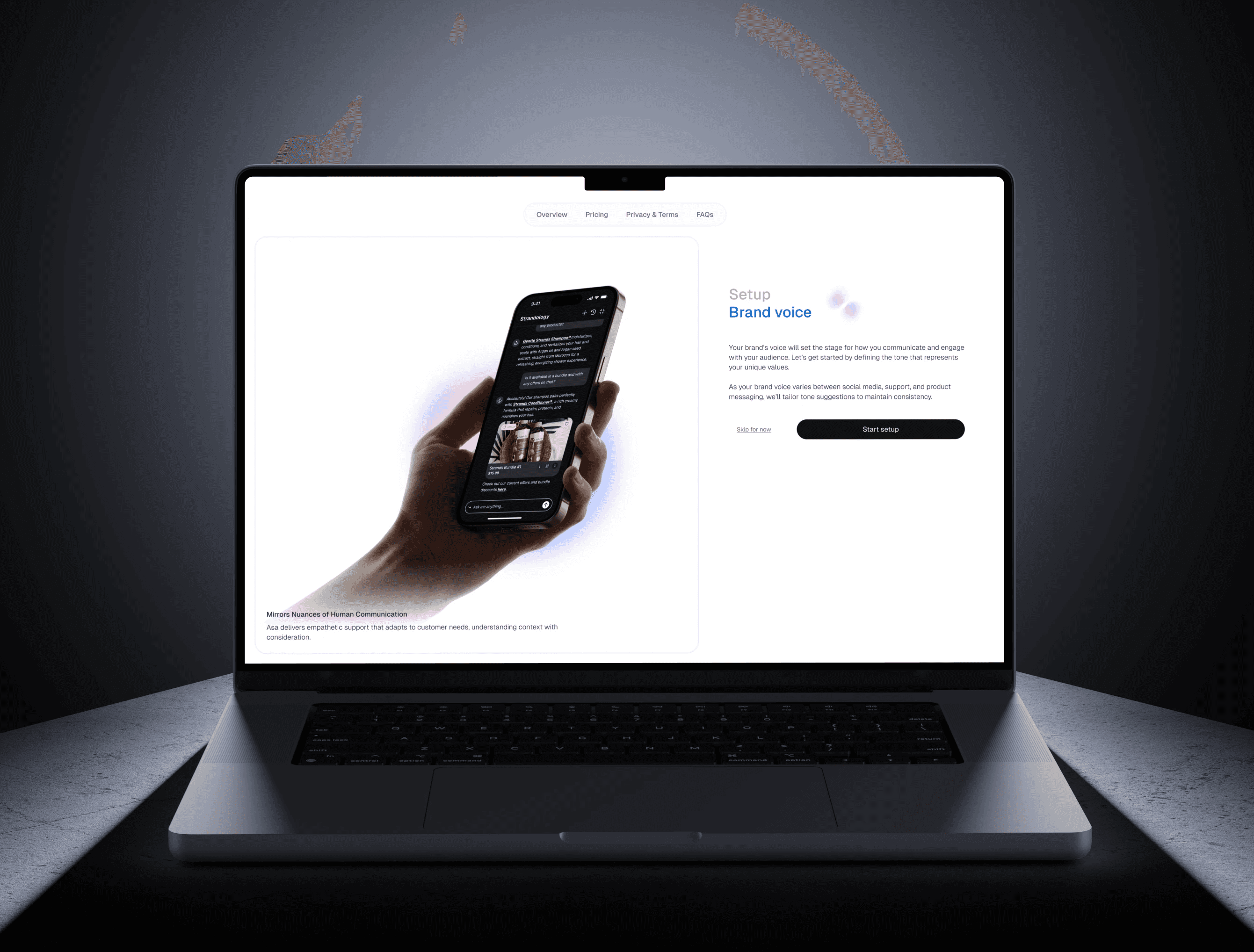
Asa AI needed a way for non-technical brand teams to teach the AI their voice without writing prompts. I designed a guided 5-step onboarding flow, brand info, voice configuration, knowledge upload, integration setup, confirmation, that reduced first-session drop-off, improved handoff velocity, and shipped across three release cycles.
Outcome
Enhanced Onboarding Efficiency: reduced first-session drop-off by 25%
Improved handoff velocity by 20%,
Getting to know the product
What is Asa AI?
Asa, acts as a virtual customer support assistant that provides personalized product recommendations and helps users make informed purchasing decisions.
By integrating Asa into an e-commerce platform or customer touchpoints, businesses can optimize and scale their daily operations by improving customer engagement and support efficiency.

The challenge
For Asa AI to effectively represent a brand, it needs to understand the brand's voice, tone, and guidelines during the initial setup.
Brand voice is subjective. There's no single "right" way to capture it, and the people who know it best (brand managers, support leads) usually aren't the ones writing AI prompts.

The Goal.
By aligning the needs of People, Business, and Technology, the objective was to create a seamless and effective experience for all stakeholders, ensuring the onboarding process would balance user desirability, business viability, and technological feasibility.
Who are we designing for?
Target Audience
Designing the experience for a wide range of Asa AI users, tailored to their unique goals and needs:
Customer Support Managers
Small Business Owners
Corporate Executives
Laying the Foundation for Asa AI’s Onboarding Flow
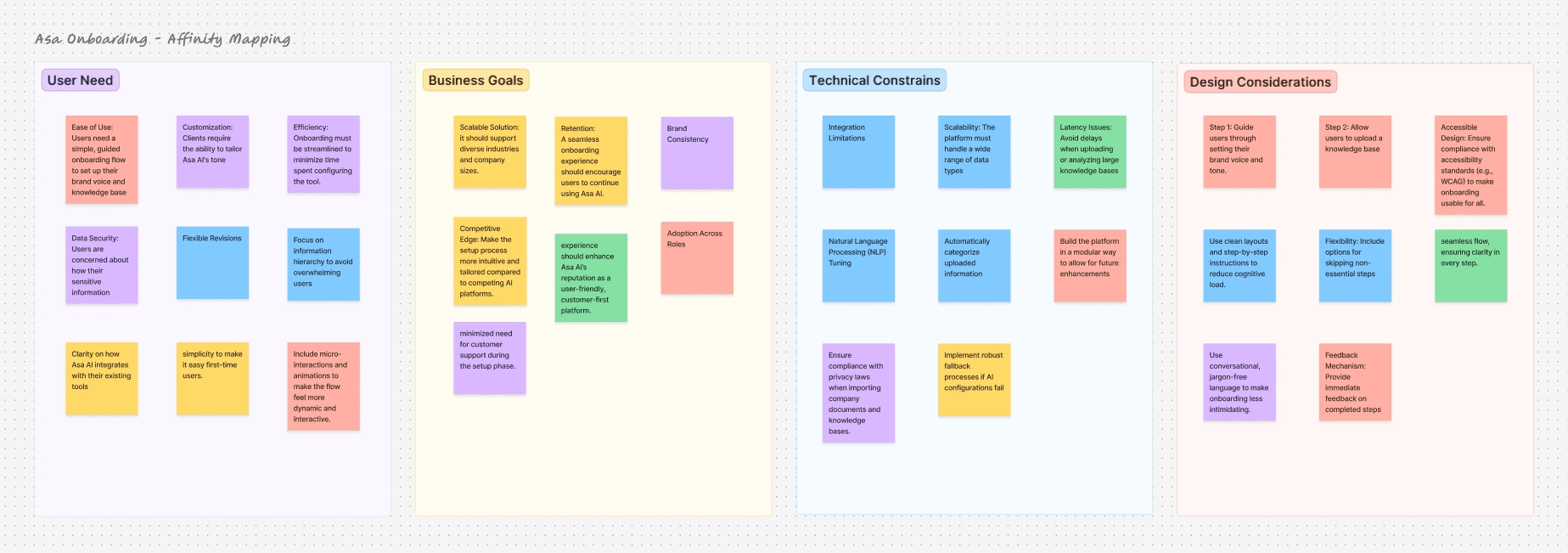
Affinity Mapping
I clustered findings from user interviews, founder conversations, and engineering constraints into four lenses, User needs, Business goals, Technical constraints, Design considerations.
What the mapping surfaced
1. Trust matters more than speed
Users would happily spend an extra 5 minutes if they could verify the AI had understood them before going live. "Fast setup" was a false north.
2. Users can't describe brand voice, but recognize it
Asking "what's your tone?" will get blank stares. Asking "which of these two replies sounds more like you?" got immediate answers.
3. Drop-off was concentrated in step 1, not step 5
If we couldn't make the first 60 seconds feel worth their time, nothing downstream mattered. The welcome screen carried more weight than the final config.
A Seamless Onboarding
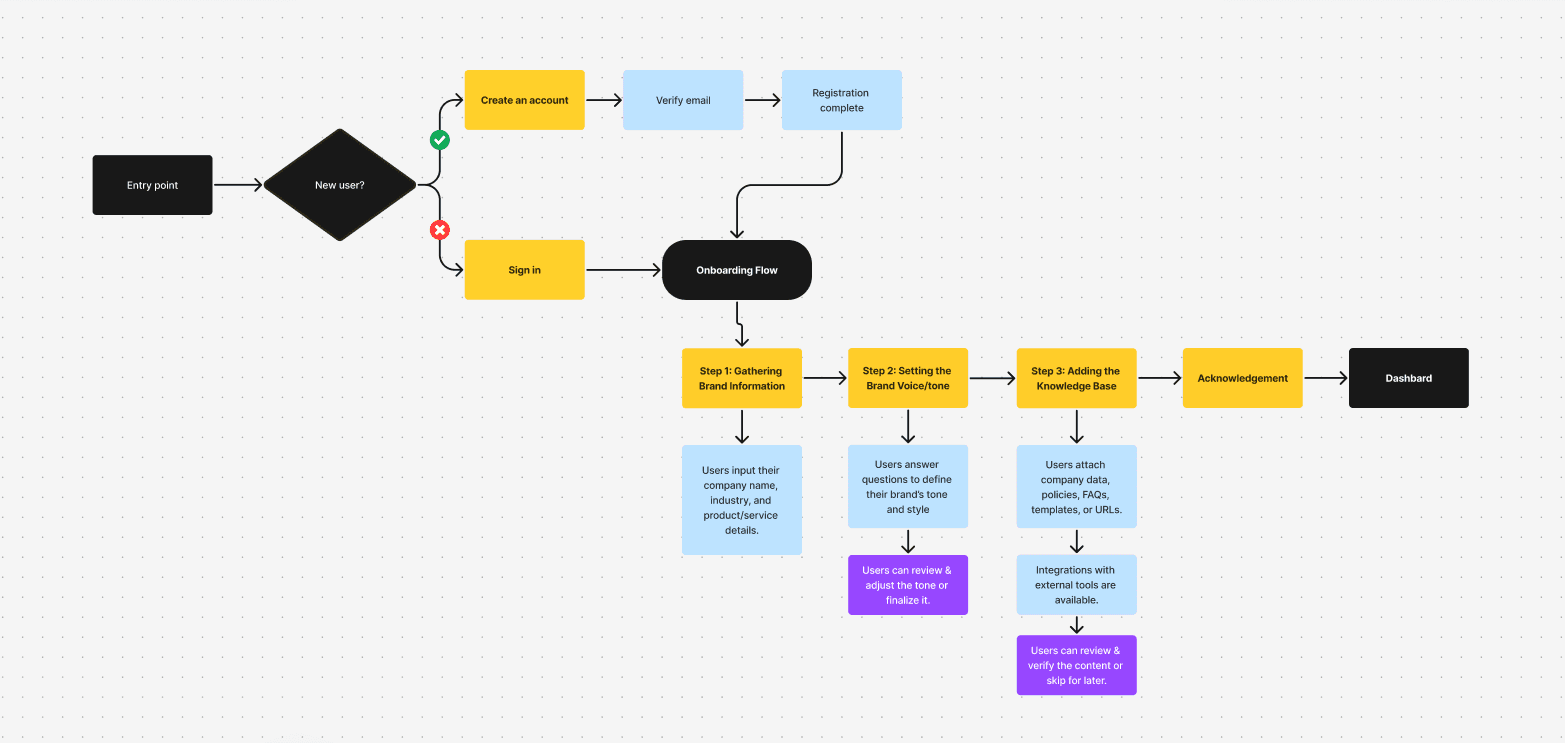
User Flow
Mapping the Step-by-Step Process That Aligns Asa AI to Each Brand’s Unique Voice and Needs
Getting started with design part
Wireframes
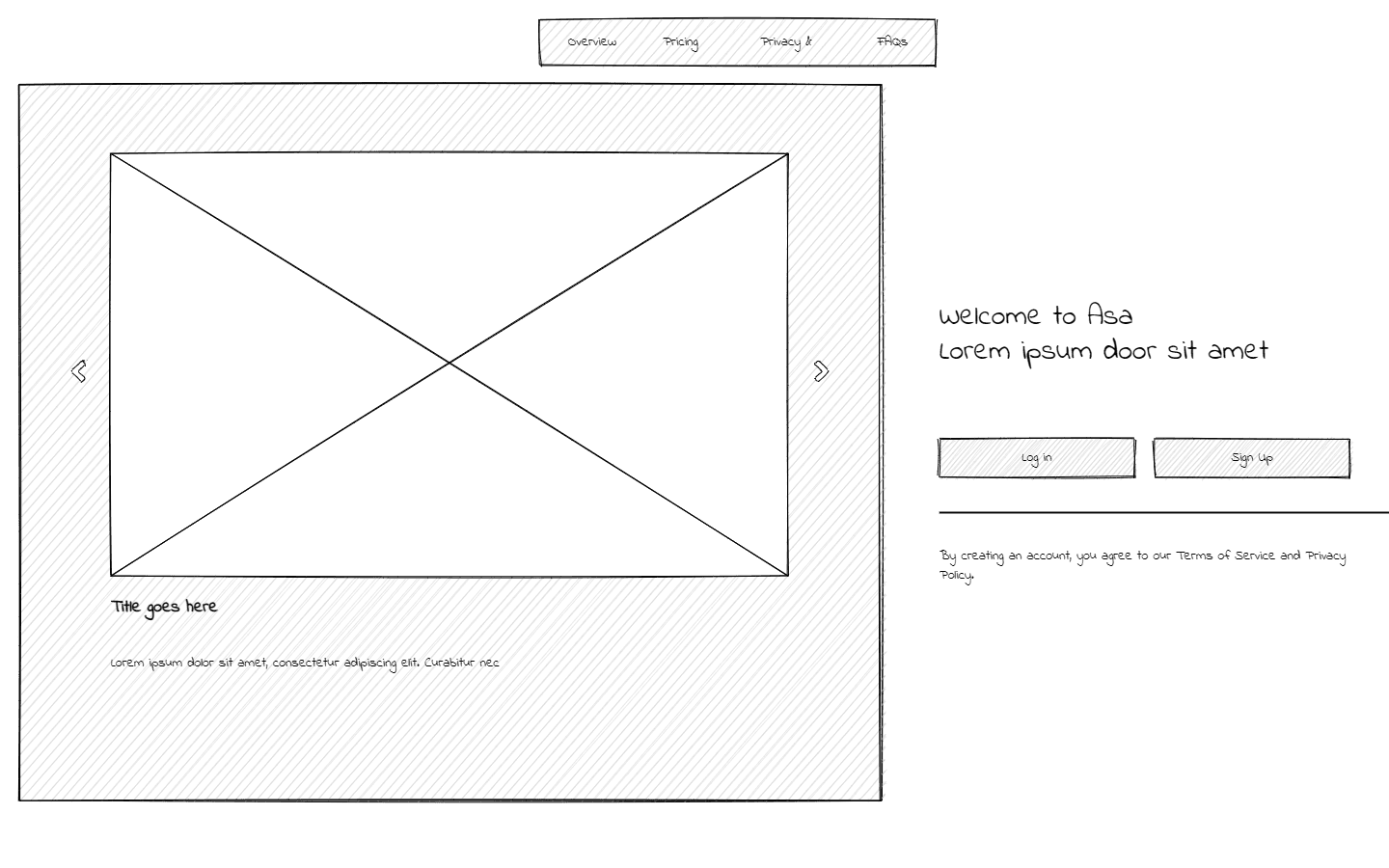
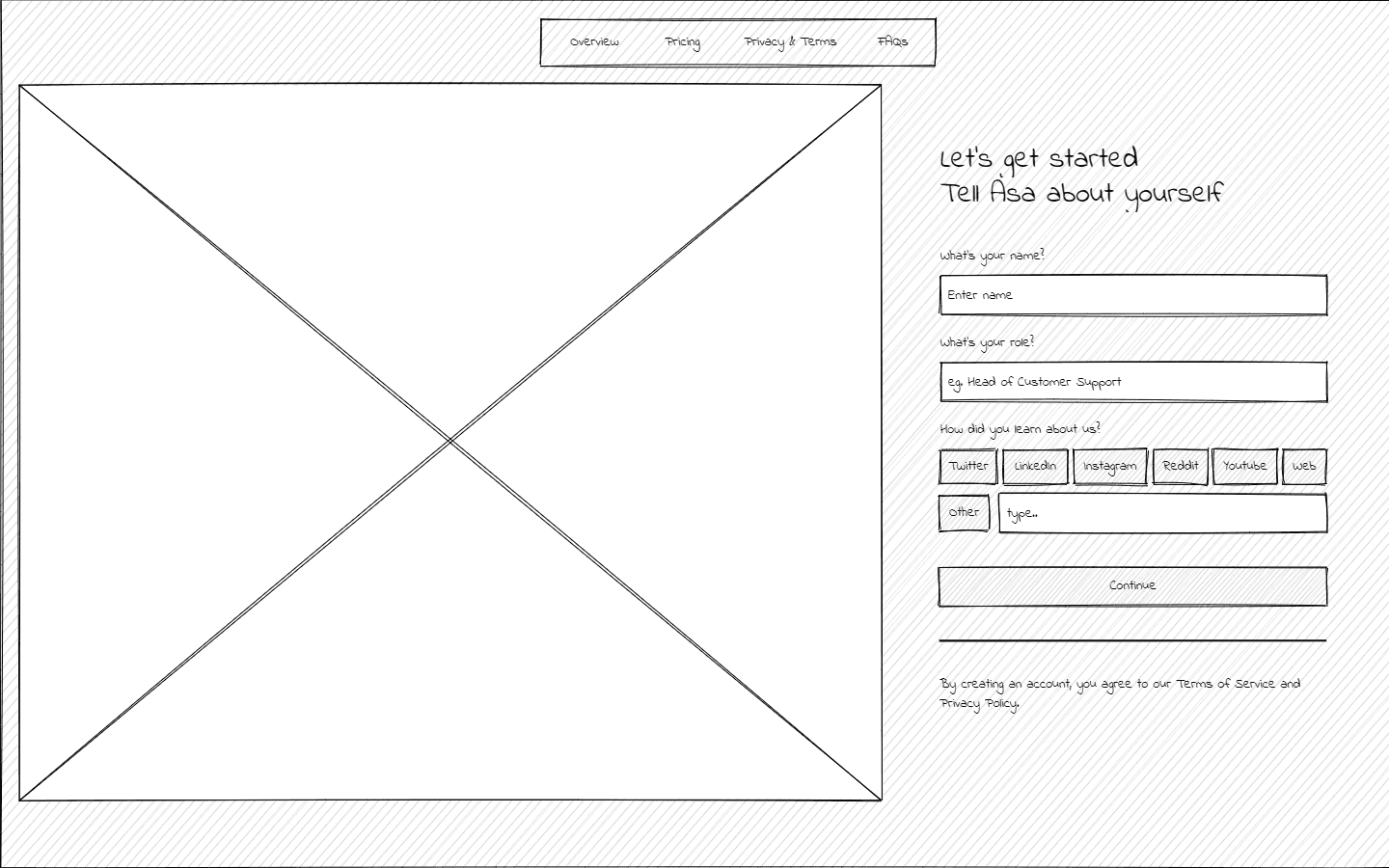
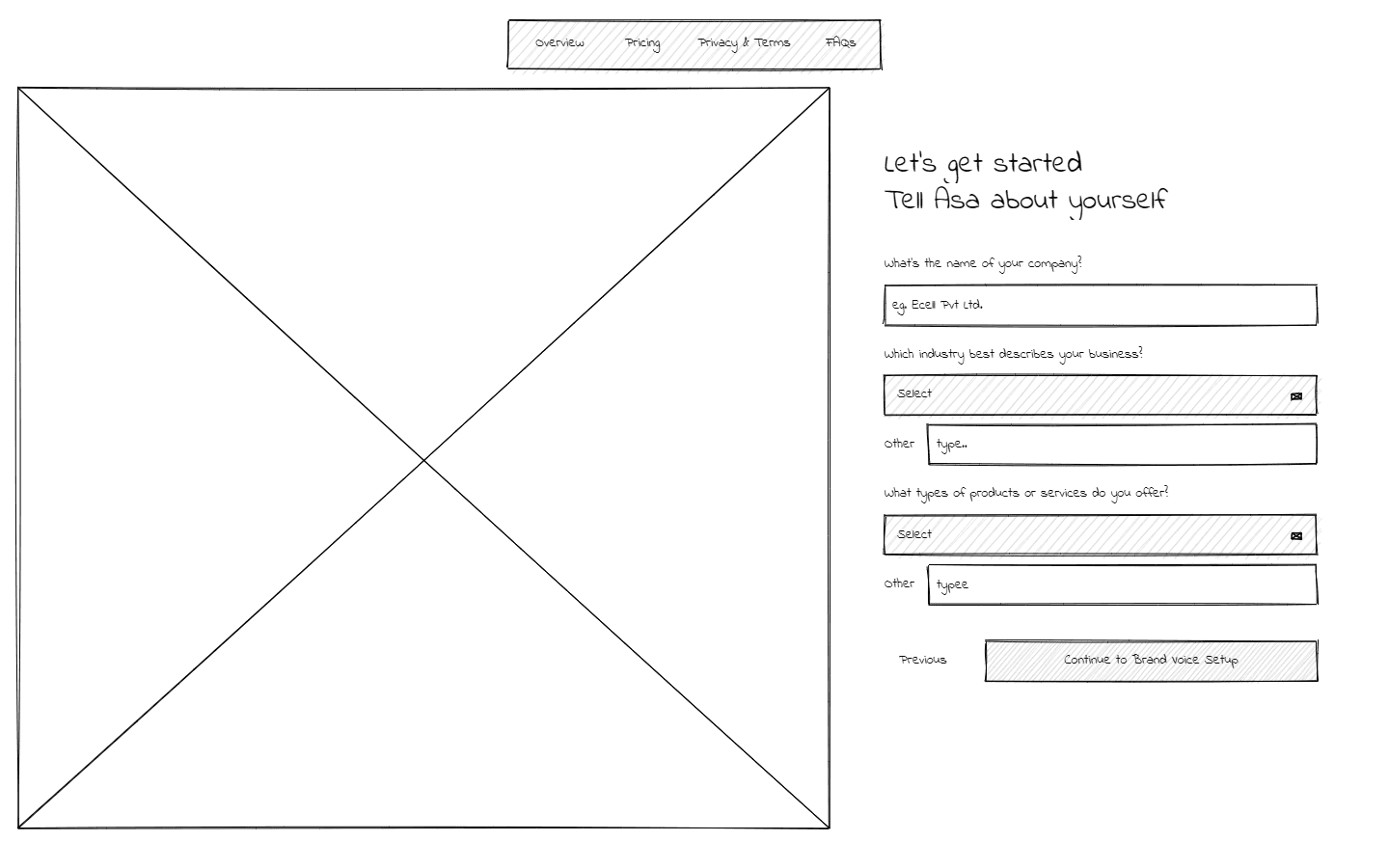
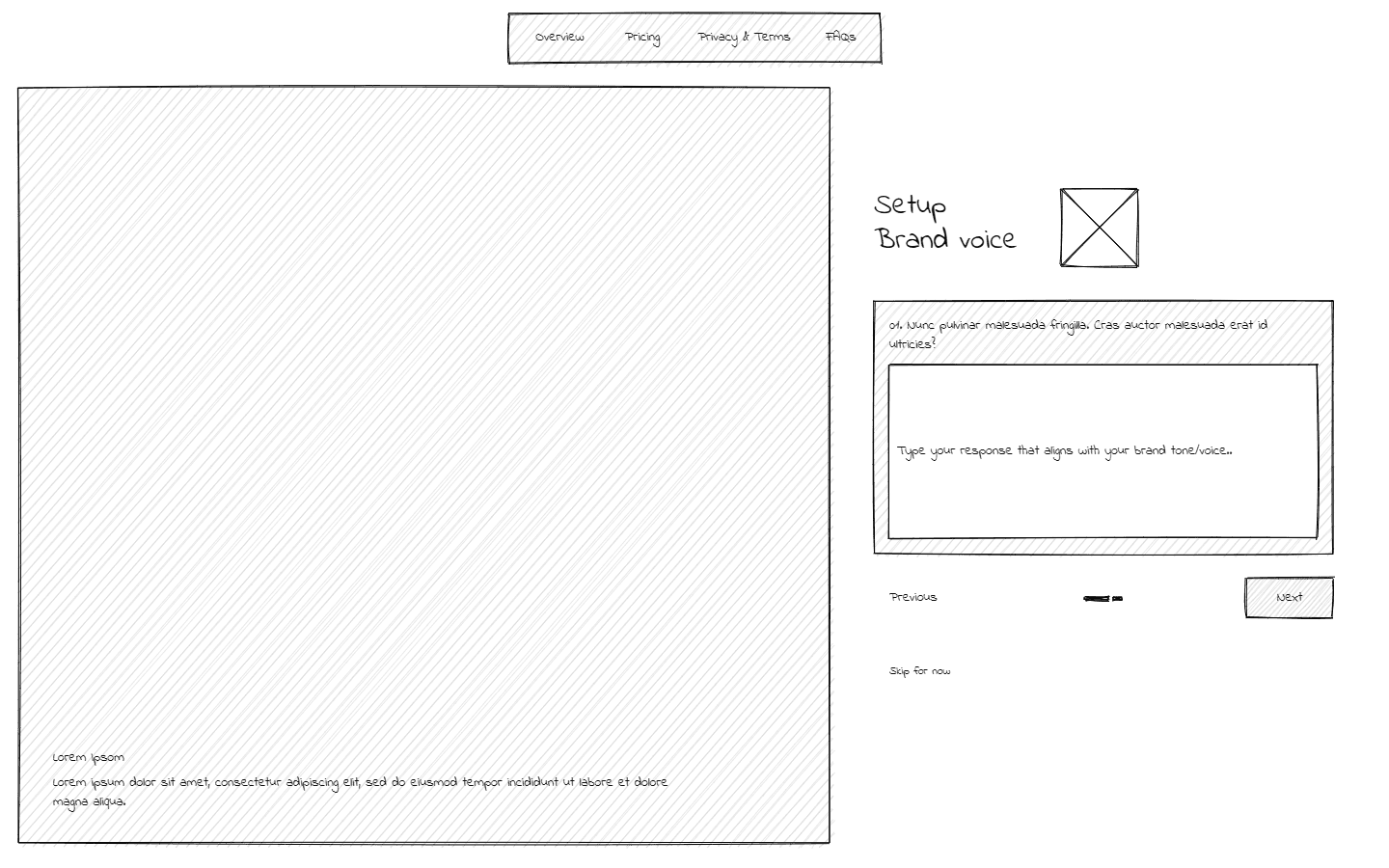
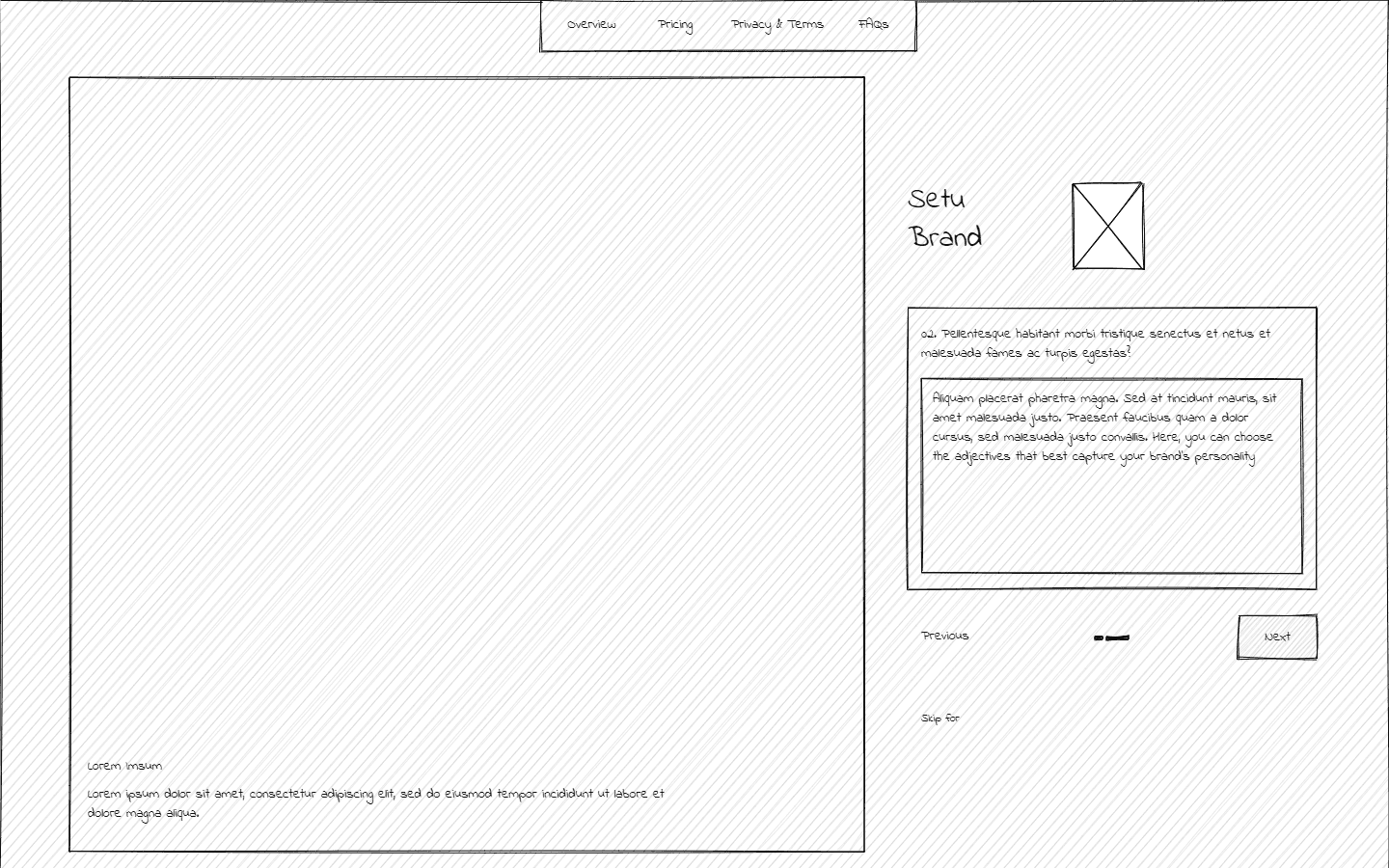
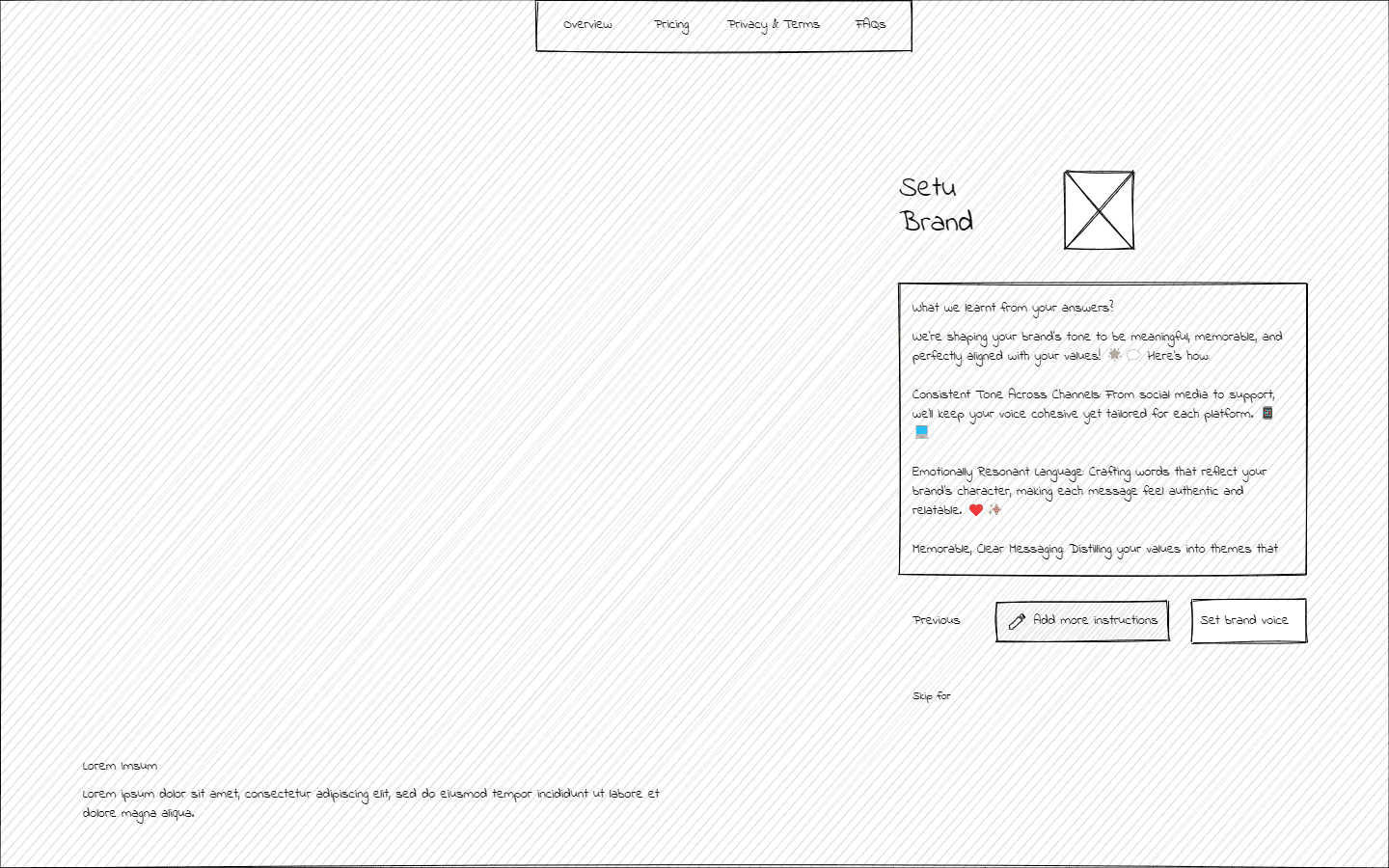
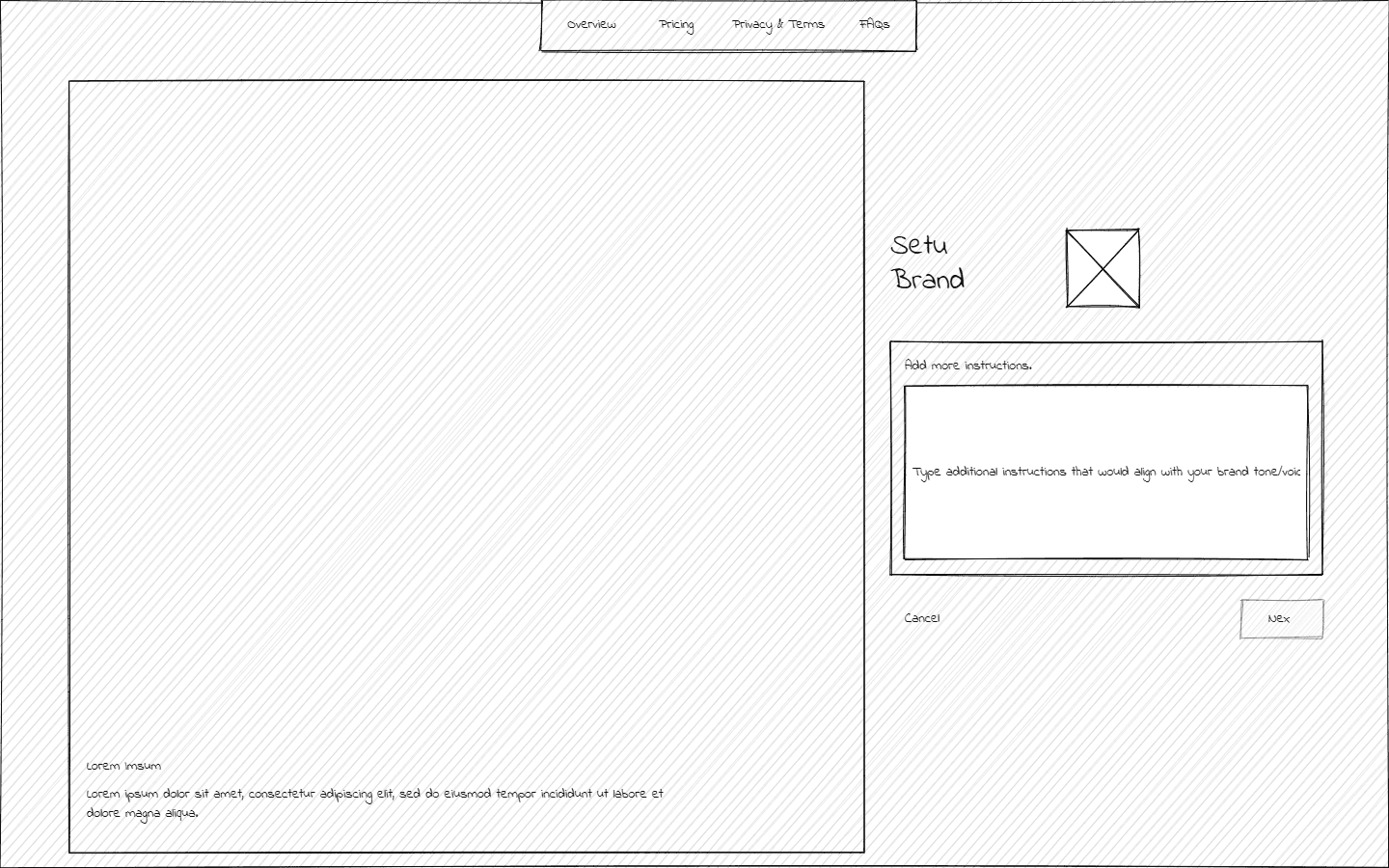
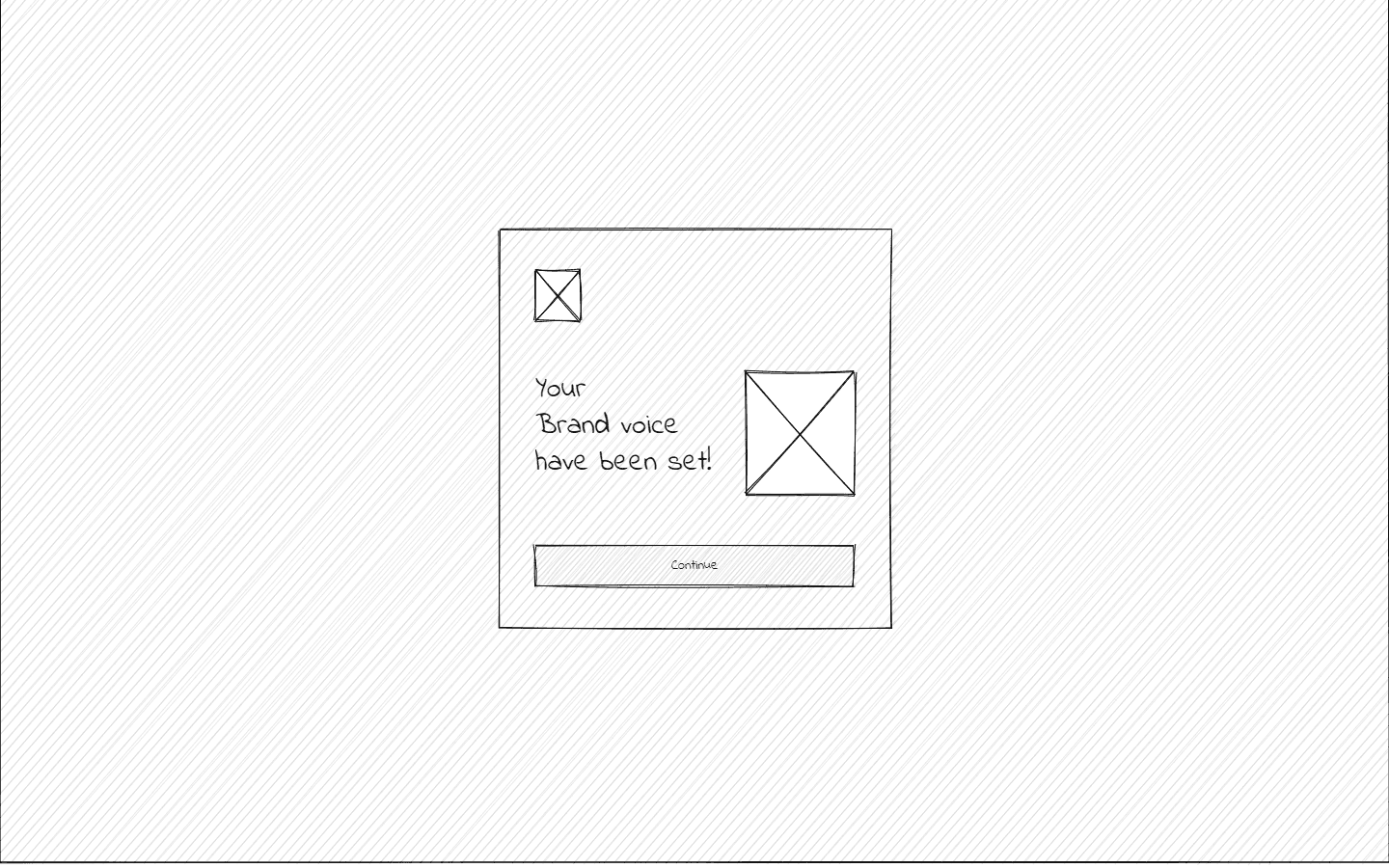
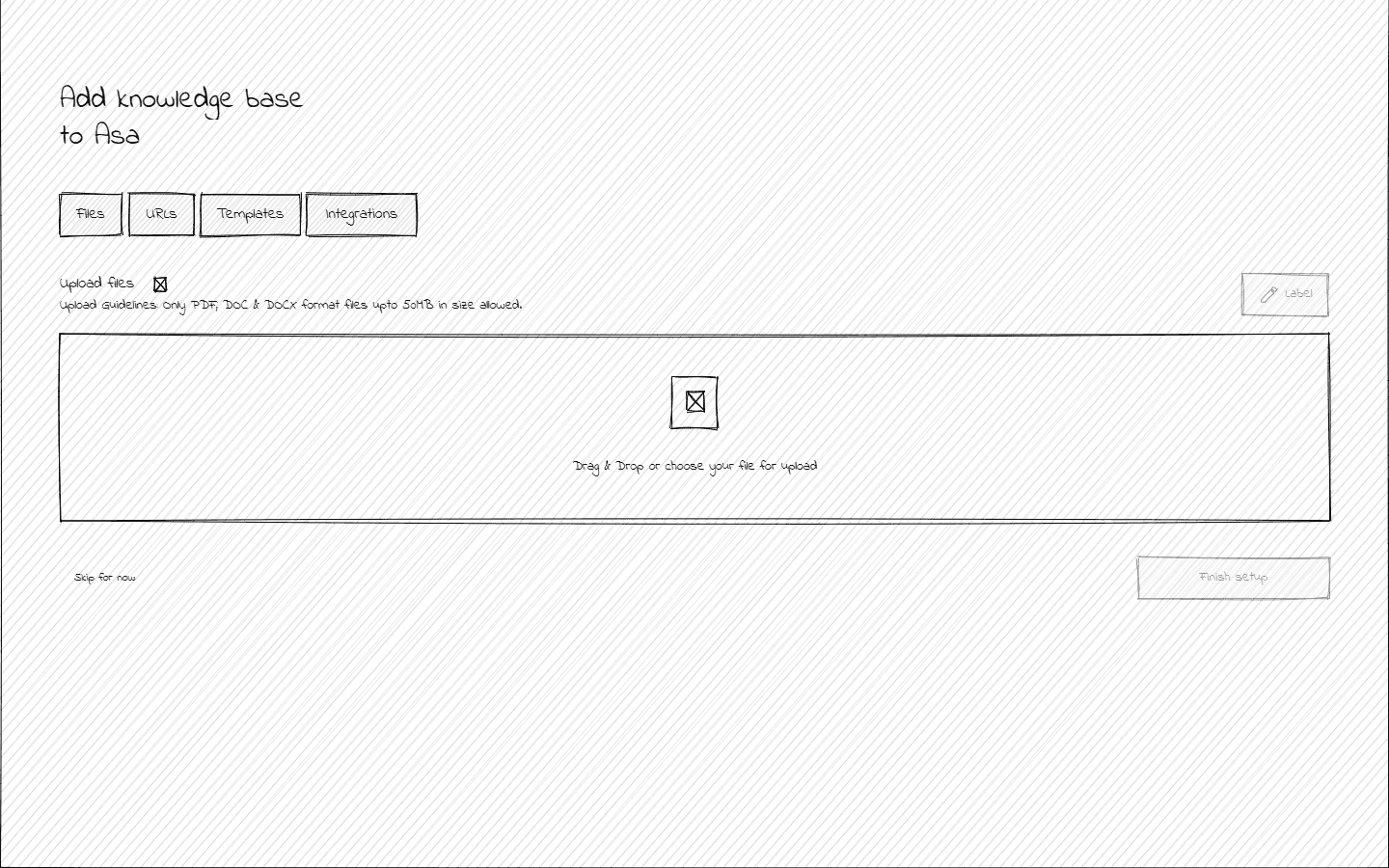
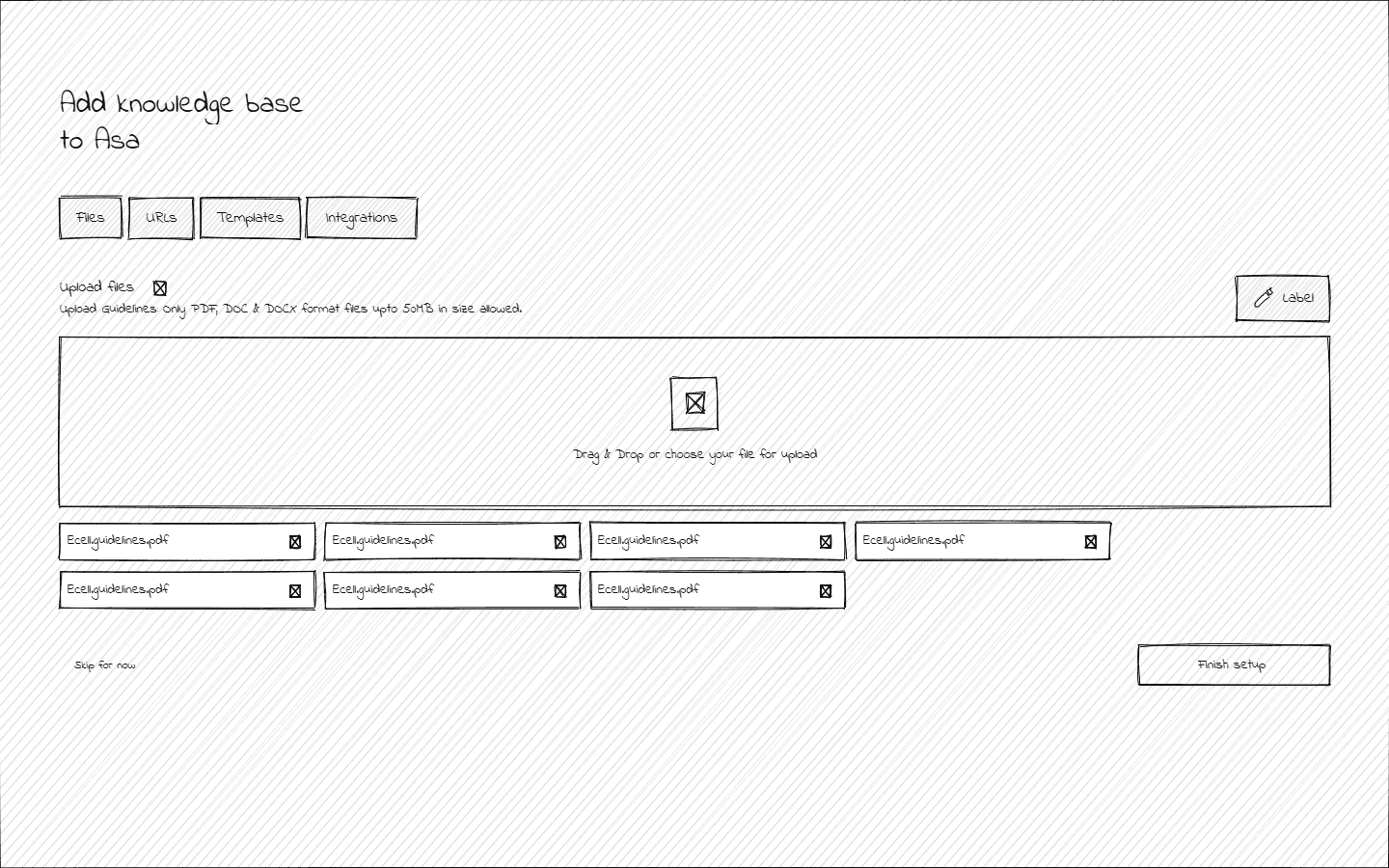
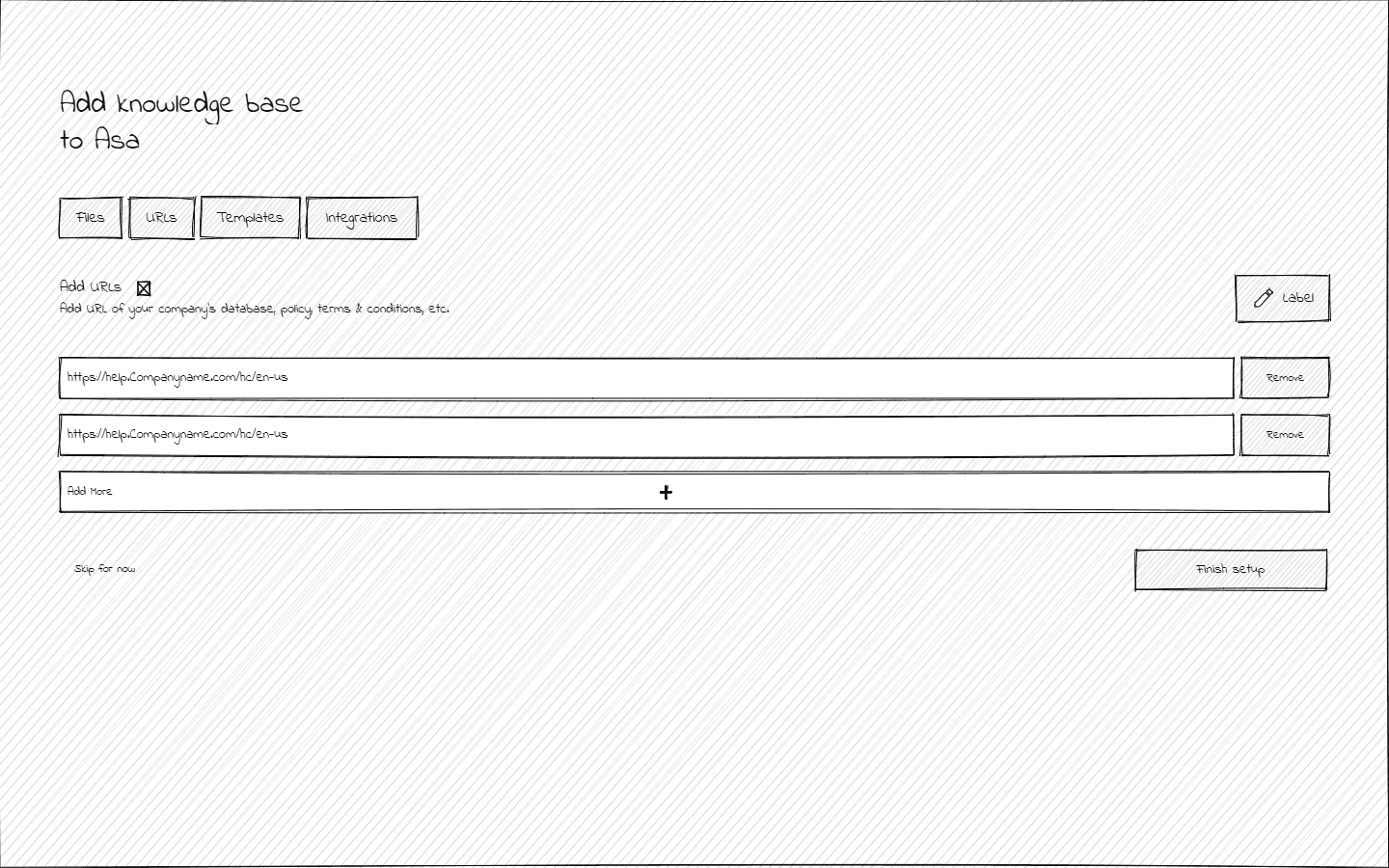
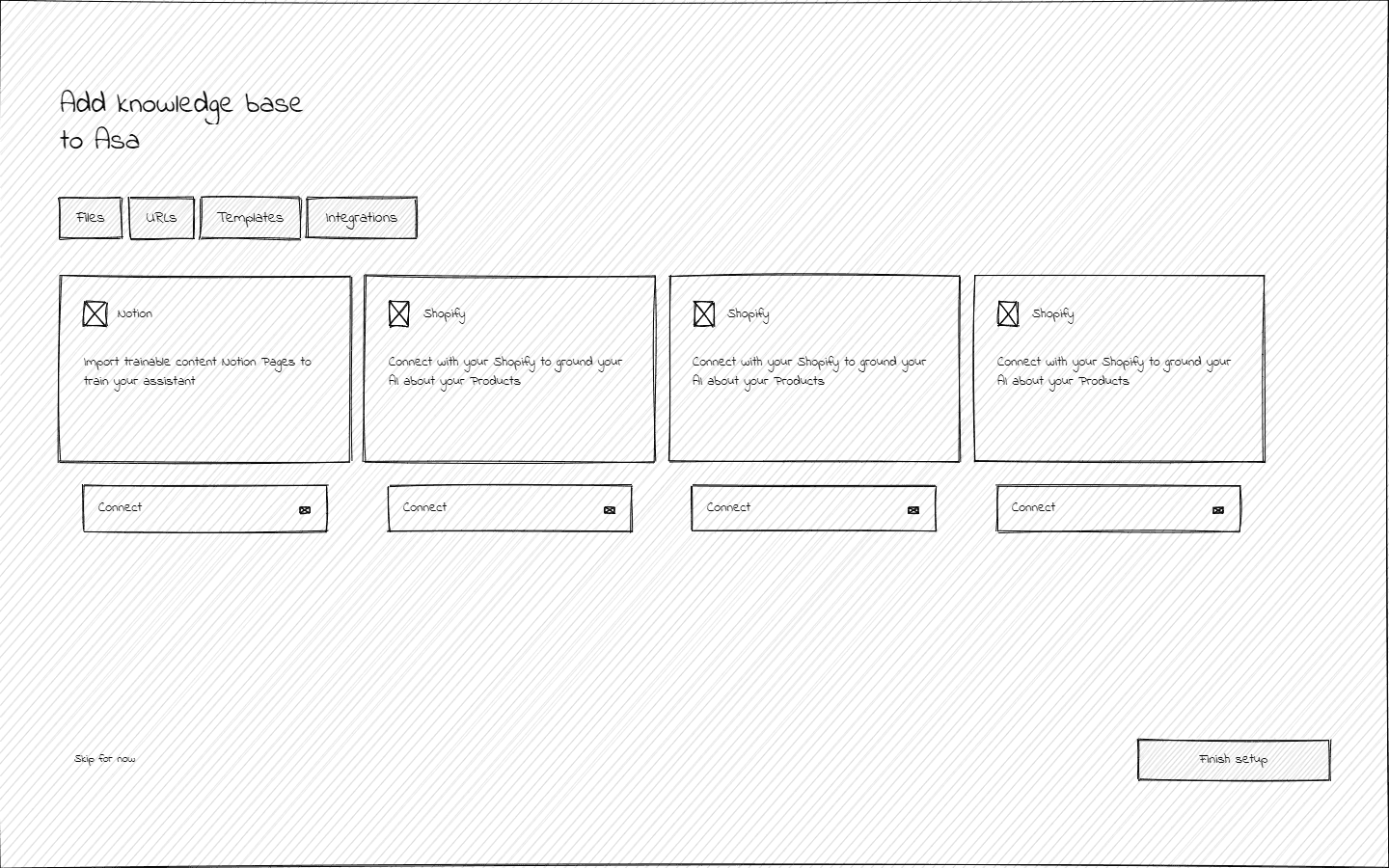
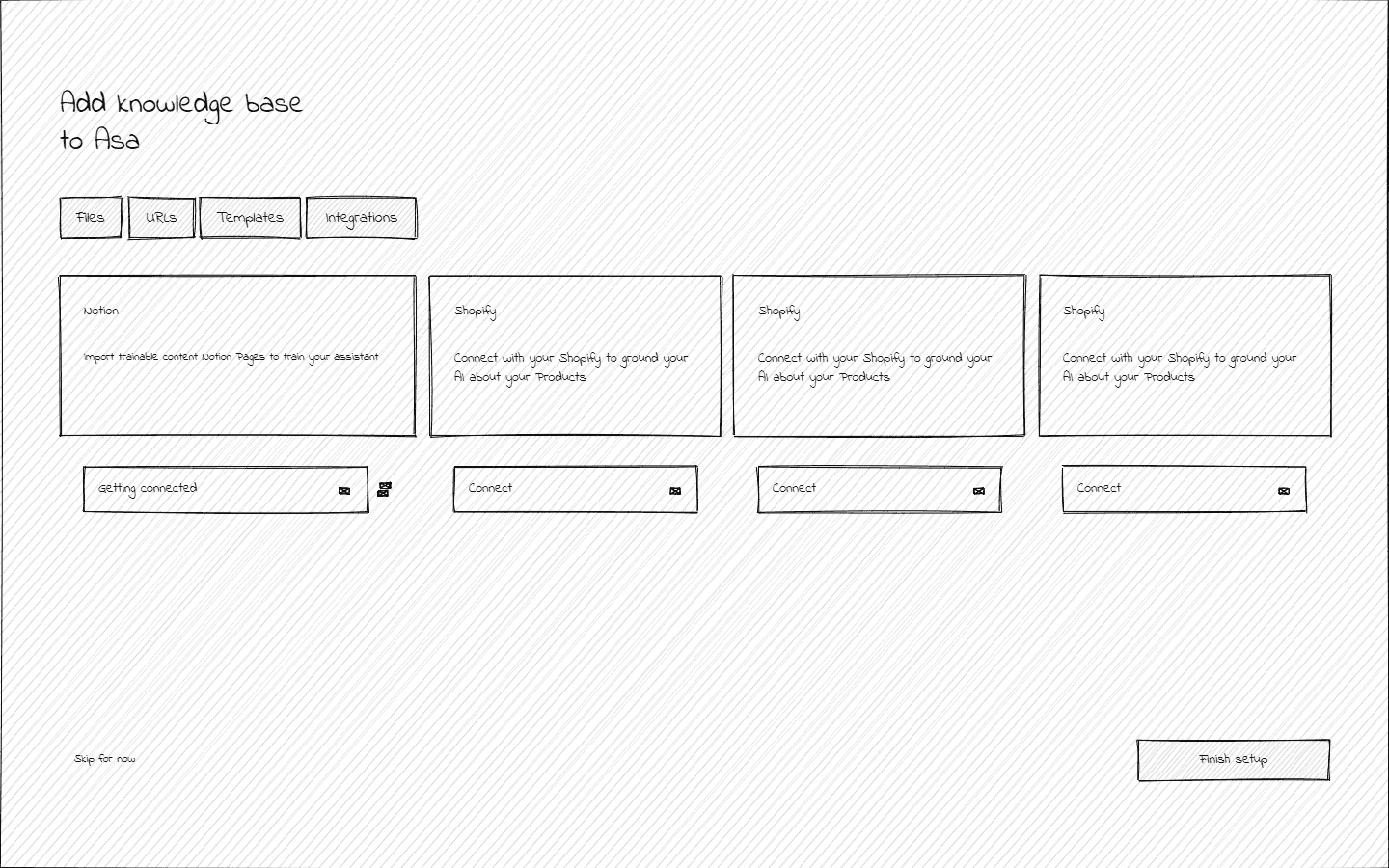
A visual blueprint of the onboarding flow, showcasing the layout, structure, and functionality of each screen. These wireframes serve as the foundation for the design, ensuring a clear and user-centric experience.
Design System
A system designed for restraint.
Every decision was made to maximize clarity and reduce cognitive overhead for non-technical users doing serious work.

The ASA design system is built on a conviction: enterprise tools don't need personality, they need precision. Every decision was made to maximize clarity and reduce cognitive overhead for non-technical users doing serious work.

Overall project impact

Mockups
Learning Outcomes
Through this project, I gained valuable insights into creating intuitive and efficient designs for SaaS platforms. By analyzing targeted users, I learned how to design tailored experiences that address unique needs, ensuring a smooth and engaging user journey.
Key takeaways:
Balancing Simplicity and Customization
User-Centric Problem Solving
Cross-functional Collaboration
Iterative Design Approach